Working from home sounds comfortable until you realize you’ve barely moved from your chair all afternoon.
You’ve answered emails, attended meetings, finished a few tasks, and somehow spent most of the day in the same position.
That’s usually when the idea of buying a standing desk becomes tempting.
You’ve probably seen the beautifully organized workspaces online: adjustable desks, perfectly positioned monitors, and people effortlessly switching between sitting and standing.
But does a standing desk actually make your workday better?
And more importantly, is it worth spending money on one?
What Does a Standing Desk Actually Change?
A standing desk allows you to work while standing instead of sitting.
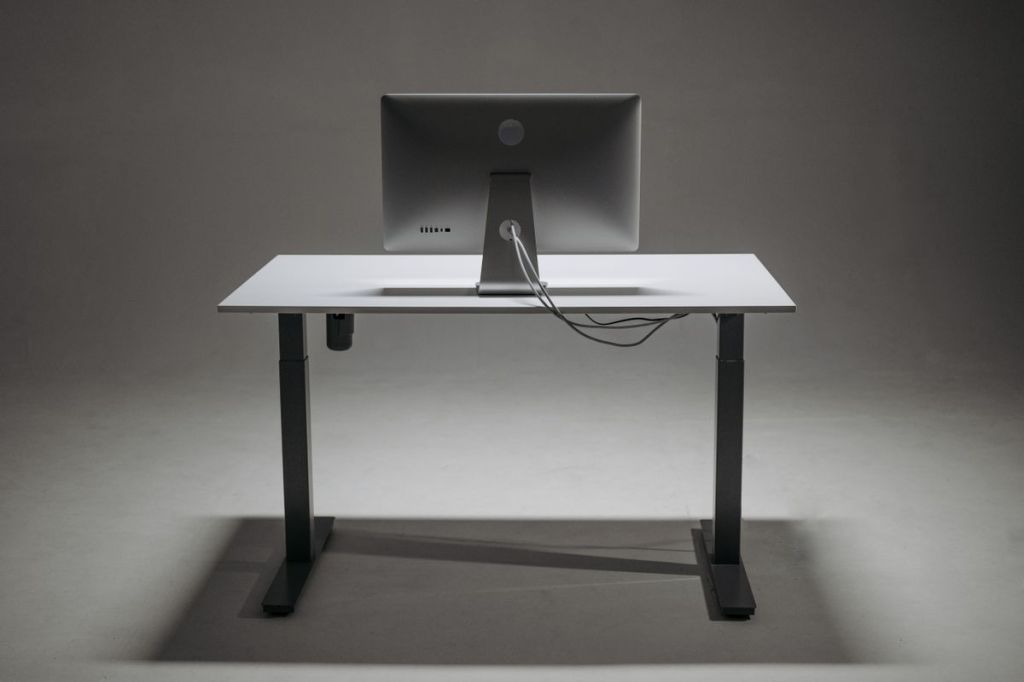
Some models are fixed at standing height, while others are adjustable so you can alternate between sitting and standing throughout the day.
The adjustable version is often the more flexible option because it lets you change positions without giving up the ability to sit comfortably.
But it’s important to understand one thing.
Standing all day isn’t necessarily better than sitting all day.
What matters is having opportunities to change position, move around, and arrange your workspace comfortably.
When a Standing Desk Might Be Worth It
A height-adjustable desk may be useful if you spend several hours at your computer and find that changing positions helps you feel more comfortable.
It can also be practical when multiple people share a workspace and need different desk heights.
Another benefit is flexibility.
You can sit while concentrating on detailed work, stand for some meetings, and change your setup as your needs shift throughout the day.
However, this doesn’t mean a standing desk automatically increases productivity or solves physical discomfort.
Those outcomes depend on your individual circumstances and how you use the desk.
You Might Not Need a New Desk Yet
Before replacing your existing furniture, take a closer look at your current workspace.
Is your chair comfortable and properly adjusted?
Is your monitor positioned at a suitable height?
Are you reaching awkwardly for your keyboard or mouse?
Sometimes an uncomfortable setup has more to do with poor equipment placement than whether you’re sitting or standing.
Small improvements, such as adjusting your chair, raising a monitor appropriately, or adding a separate keyboard for laptop use, may be worth trying first.
Adjustable Desk or Desk Converter?
If you’re interested in trying a standing setup, you generally have two common choices.
A full height-adjustable desk
This replaces your existing desk and allows the whole work surface to move up and down.
It’s useful if you want enough space for multiple monitors, accessories, and regular position changes.
However, it can be expensive, bulky, and difficult to transport if you move frequently.
A desktop converter
This sits on top of an existing desk and raises your working equipment.
It can be a more affordable way to experiment with standing while working.
But it also takes up surface space, and some models provide limited room for a keyboard, mouse, or additional monitor.
Check its stability, weight capacity, height range, and how easily you can switch positions.
Neither option is automatically better. The right choice depends on your space, equipment, and budget.
Five Things to Check Before Buying
1. Height adjustment
Make sure the desk can reach comfortable heights for both sitting and standing, especially if you’re shorter or taller than average.
2. Stability
A desk shouldn’t wobble excessively when you’re typing or using your equipment.
Check its construction and suitability for your monitor setup.
3. Work surface size
Measure your laptop, monitor, keyboard, and other essentials.
Don’t forget to leave room for comfortable movement and cable management.
4. Ease of adjustment
An electrically adjustable model can be convenient, but a manual mechanism may be sufficient for your routine.
Compare noise, adjustment speed, reliability, and warranty coverage.
5. Total cost
The desk itself may not be your only expense.
You might also need a monitor arm, cable accessories, suitable chair, or other equipment to create a comfortable setup.
How to Use a Standing Desk Comfortably
Start with short periods of standing rather than immediately trying to spend the entire workday on your feet.
Arrange the keyboard and mouse at a comfortable height, keep the monitor appropriately positioned, and avoid awkward reaching.
Alternate positions and take regular opportunities to move.
Simply standing still for several hours can become uncomfortable too.
The goal is to make movement and comfortable positioning easier, not to meet an arbitrary number of standing hours.
Is It Worth Buying an Expensive Model?
Not necessarily.
Premium standing desks may offer smoother adjustments, more storage, better stability, or more extensive warranties.
But you might not need every feature.
If you only work from home occasionally, improving your existing workstation could be the more sensible investment.
If you work at a desk every day and value the flexibility to change positions, a reliable adjustable model may justify the cost.
Always consider the space it occupies and whether it can adapt to your future working arrangements.
So, Is a Standing Desk Worth It?
For some people, absolutely.
A standing desk can give you more flexibility during a long workday, particularly when it’s properly adjusted and used alongside a comfortable chair.
But it isn’t an essential purchase for everyone.
Before investing, think about what feels uncomfortable or inconvenient in your current setup.
If a standing desk genuinely addresses that problem, it may be a worthwhile home office upgrade.
If not, you might be happier spending less money on better lighting, a supportive chair, or a more practical workspace arrangement.
After all, the best home office isn’t the one that looks most impressive online.
It’s the one that makes your working day a little more comfortable.




Leave a Reply